

What Is SIEM? A Beginner’s Guide to Security Information and Event Management
Learn what SIEM is, how it collects and analyzes security logs, how SOC analysts use it to detect threats, and how beginners can build a simple SIEM lab
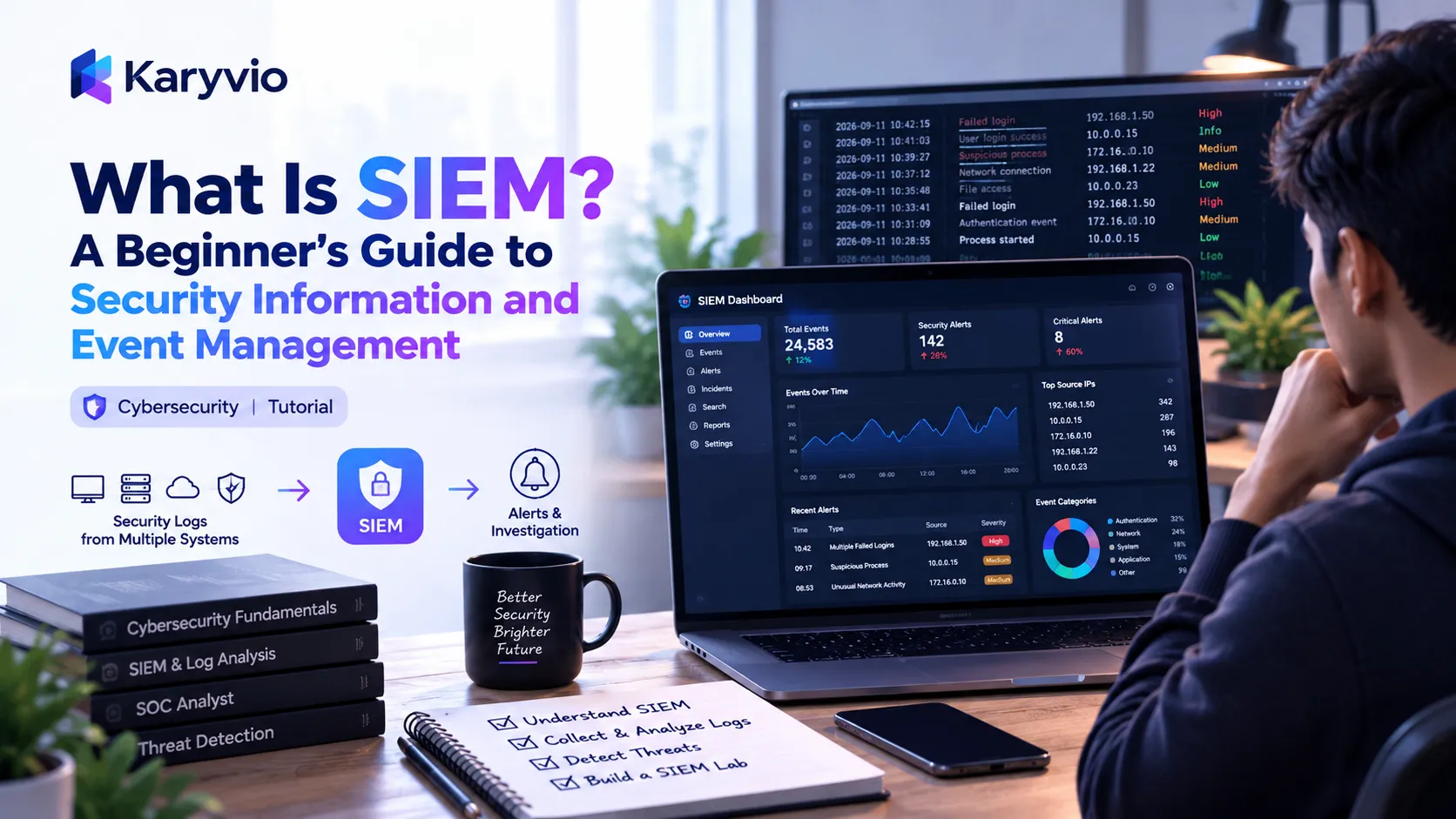
What Is SIEM? A Beginner’s Guide to Security Information and Event Management
Cybersecurity teams deal with an enormous amount of information every day.
Servers generate logs.
Applications generate logs.
Firewalls generate logs.
Cloud platforms generate logs.
Endpoints generate logs.
Authentication systems generate logs.
The challenge is not simply collecting this information.
The real challenge is understanding what it means.
This is where SIEM comes in.
SIEM stands for:
Security Information and Event Management
A SIEM platform helps security teams collect, organize, analyze, correlate, and monitor security-related data from different sources.
It can help analysts identify suspicious activity, investigate security incidents, search historical events, and understand what is happening across an organization's environment.
This beginner's guide explains what SIEM is, how it works, where SIEM data comes from, how analysts investigate alerts, how SIEM compares with other security technologies, and what you should learn if you want to start a career in security operations.
1. What Does SIEM Mean?
SIEM stands for:
Security Information and Event ManagementThe term combines two related ideas:
Security Information
+
Security Event Management
In simple terms, SIEM brings security-related information from different systems into a centralized platform and helps security teams analyze that information.
A simplified SIEM model looks like this:
Instead of checking every system individually, analysts can use the SIEM as a centralized security monitoring and investigation layer.
2. Why Do Organizations Need SIEM?
Modern organizations can have hundreds or thousands of systems.
A typical environment may include:
Employees
    ↓
Laptops
    ↓
Applications
    ↓
Servers
    ↓
Cloud Services
    ↓
Databases
    ↓
Network Devices
    ↓
Identity Systems
Each system can generate security-related events.
For example, an organization might have:
- Employee laptops
- Application servers
- Databases
- Firewalls
- VPN systems
- Cloud infrastructure
- Identity providers
- Business applications
- Security tools
Checking every log source separately would be difficult for a security team.
SIEM helps centralize relevant security information so analysts can search, correlate, and investigate events more efficiently.
3. What Is a Security Event?
A security event is an activity recorded by a system.
Examples include:
User logged in
User logged out
Password changed
File accessed
Application started
Firewall connection allowed
Firewall connection blocked
Server error occurred
Account was created
Account permissions changed
Most events are completely normal.
For example:
Employee logs into company laptopThis is normally expected activity.
However, a pattern such as many failed login attempts followed by a successful login may deserve investigation.
The important point is that an event by itself does not necessarily mean an attack occurred.
Security teams need context.
4. What Is a Security Log?
A log is a record of activity generated by a system, application, device, or security product.
A simplified authentication log might look like:
2026-09-11 10:15:42
User: alice
Action: Login
Result: Success
Source: 10.0.0.25
Another event might look like:
2026-09-11 10:17:03
User: alice
Action: Login
Result: Failed
Source: 203.0.113.50
Real logs can be much more detailed.
They may contain information such as:
Timestamp
Username
Source IP
Destination IP
Device
Application
Action
Result
Process
Resource
Authentication Method
Event ID
A SIEM can collect these events and make them available for searching and analysis.
5. Where Does SIEM Data Come From?
One of the most important concepts to understand is that a SIEM does not normally generate all the security information itself.
It receives information from other systems.
Common sources include:
Network Devices
Firewalls
Routers
VPN Systems
Network Monitoring Systems
Proxy Servers
Servers
Linux Servers
Windows Servers
Application Servers
Database Servers
Web Servers
Applications
Web Applications
Business Applications
Authentication Services
APIs
Databases
Endpoints
Laptops
Desktop Computers
Workstations
Endpoint Security Tools
Cloud
Cloud Infrastructure
Cloud Applications
Cloud Identity Systems
Cloud Security Services
Cloud Audit Logs
Identity Systems
Authentication
Login Activity
Password Changes
Account Changes
Privilege Changes
The exact data sources depend on the organization's technology environment.
6. The SIEM Data Flow
A simplified SIEM workflow looks like this:
The important idea is that SIEM does much more than simply store logs.
It helps turn large amounts of raw security data into information that analysts can search, understand, and investigate.
7. Log Collection
The first major step is collecting security data.
A SIEM may receive information through:
- Agents
- Connectors
- APIs
- Syslog
- Cloud integrations
- Security product integrations
- Database connectors
- Other supported collection mechanisms
For example:
Firewall
   ↓
Security Events
   ↓
Collector
   ↓
SIEM
The exact collection method depends on the source and the SIEM platform.
A good SIEM deployment needs reliable and useful data sources.
If important systems are not sending relevant events, the SIEM may have limited visibility into those systems.
8. Parsing
Raw logs can arrive in many different formats.
For example:
timestamp=10:30 user=alex action=login result=failedAnother system might produce:
{
  "time": "10:30",
  "user": "alex",
  "action": "login",
  "result": "failed"
}
The SIEM needs to understand important fields from these records.
Common fields include:
Timestamp
User
Source
Destination
Action
Result
Device
IP Address
Application
Event Type
Parsing helps extract useful information from raw events.
Without reliable parsing, searching and correlation can become much harder.
9. Normalization
Different systems may describe similar activities in different ways.
For example:
login
authentication
user_login
These may all represent authentication-related activity.
Normalization helps represent information in a more consistent structure.
Conceptually:
Different Log Formats
        ↓
     Parsing
        ↓
   Normalization
        ↓
Common Security Fields
This makes it easier to search and correlate information across multiple systems.
10. Correlation
Correlation is one of the important capabilities associated with SIEM.
Instead of looking at one event in isolation, a SIEM can connect multiple related events.
For example:
Failed Login
      ↓
Another Failed Login
      ↓
Another Failed Login
      ↓
Successful Login
      ↓
Sensitive Resource Access
Each individual event might not immediately indicate a serious security issue.
Together, however, the events may deserve investigation.
This is the basic idea behind event correlation.
Correlation can help security teams identify patterns that would be difficult to recognize when examining individual logs separately.
11. What Is a SIEM Alert?
An alert is a notification generated when activity matches a configured detection condition or rule.
For example:
Multiple failed authentication attemptscould generate an alert.
Another example could be:
Unusual privileged account activityAn alert does not automatically mean:
"A security breach definitely happened."
Instead, an alert usually means:
"This activity deserves attention."
The analyst must investigate the surrounding context before deciding what happened.
12. Detection Rules
SIEM platforms can use detection rules to identify potentially suspicious patterns.
A simplified rule might look like:
IF
multiple authentication failures occur
within a defined period

THEN
generate a security alert
Another conceptual rule could be:
IF
a privileged account performs unusual activity

AND
additional suspicious conditions are present

THEN
generate an alert for investigation
Real detection logic can be significantly more complex.
Rules may consider:
- Time
- User
- IP address
- Device
- Location
- Application
- Event type
- Frequency
- Previous activity
- Threat intelligence
- Other related events
13. SIEM and Threat Detection
One of the main purposes of SIEM is helping security teams detect potentially suspicious activity.
Possible detection areas include:
Authentication Anomalies
Suspicious Network Activity
Unexpected Privilege Changes
Unusual Account Behavior
Malware-Related Events
Policy Violations
Potential Data Access Anomalies
The quality of detection depends on:
- Data sources
- Detection rules
- Configuration
- Context
- Data quality
- Analyst investigation
A SIEM is not a magic system that automatically identifies every attack.
Detection depends heavily on the quality of the data and the logic used to analyze it.
14. SIEM and a SOC
SIEM is commonly associated with a:
Security Operations Center (SOC)
A SOC is a team or function responsible for monitoring and responding to security events.
A simplified SOC workflow looks like this:
The SIEM provides data and detection capabilities.
The analyst provides context and judgment.
15. What Does a SOC Analyst Do With SIEM?
A SOC analyst may use SIEM to:
- Monitor alerts
- Investigate suspicious activity
- Search logs
- Correlate events
- Identify affected systems
- Review authentication activity
- Gather evidence
- Escalate incidents
- Document investigations
- Help improve detection rules
The SIEM is therefore an important part of the analyst's toolkit.
However, knowing how to use a SIEM interface is only one part of becoming a strong security analyst.
You also need networking, operating system, security, investigation, and communication skills.
16. SIEM Investigation
Suppose an analyst receives:
Suspicious Login AlertThe analyst may investigate:
Who logged in?
        ↓
From where?
        ↓
When?
        ↓
Was the login successful?
        ↓
What happened afterward?
        ↓
Were sensitive resources accessed?
        ↓
Are other systems involved?
This demonstrates why context is important.
An individual event rarely tells the entire story.
An analyst needs to connect related events and understand what happened before and after the alert.
17. Searching SIEM Data
Security analysts frequently search historical security data.
For example, an analyst might search for:
User = aliceThen narrow the results:
User = alice
AND
Login failures
Then add a time range:
User = alice
AND
Login failures
AND
Specific time range
The analyst may then compare the results with:
IP Address
Device
Location
Application
Authentication Method
Other Events
The goal is to build context around the activity.
18. Security Timelines
Timelines are extremely useful during investigations.
Example:
09:01 → Failed login
09:03 → Failed login
09:04 → Successful login
09:06 → Privileged action
09:08 → Sensitive resource accessed
A safe Mermaid representation of the same timeline is:
This example is for learning purposes.
It does not automatically prove that the activity was malicious.
The purpose of a timeline is to help analysts understand how events relate to one another.
19. SIEM Dashboards
SIEM platforms commonly provide dashboards that summarize security activity.
A dashboard might show:
Active Alerts
Authentication Events
High-Severity Events
Network Activity
Endpoint Events
Top Event Sources
Investigation Status
Dashboards help analysts quickly understand the current security environment.
However, dashboards are only useful when the underlying data is reliable and the displayed information is meaningful.
20. Severity Levels
Security events may be assigned different severity levels.
A simplified example is:
Low
Medium
High
Critical
For example:
Low
Routine event requiring little attention

Medium
Potentially unusual activity

High
Activity requiring prompt investigation

Critical
Potentially serious security event requiring immediate attention
The exact meanings depend on the organization's detection and response strategy.
Severity should help analysts prioritize their work.
21. False Positives
One of the biggest challenges in security monitoring is the false positive.
A false positive occurs when a detection identifies activity as suspicious, but investigation shows that it is legitimate.
For example:
Alert:
Unusual Login

Investigation:
Employee was traveling and used an approved VPN.
The alert was useful because it highlighted something unusual.
But the activity was legitimate.
This is why alerts should be investigated instead of automatically being treated as confirmed incidents.
22. Why False Positives Matter
Too many false positives can overwhelm security teams.
Imagine receiving:
1,000 alertsevery day.
If most of them are irrelevant, analysts may struggle to focus on important events.
This can contribute to:
Alert fatigue
Alert fatigue can reduce the effectiveness of security monitoring.
A good security monitoring program therefore focuses on improving detection quality rather than simply increasing the number of alerts.
23. Detection Tuning
Detection tuning means improving rules and alert behavior.
A simplified process looks like:
Initial Rule
     ↓
Too Many Alerts
     ↓
Analyze False Positives
     ↓
Improve Conditions
     ↓
Test Again
     ↓
Better Detection
Tuning can help reduce unnecessary alerts while maintaining useful detection coverage.
Examples of tuning may include:
- Adjusting thresholds
- Adding trusted sources
- Adding additional conditions
- Removing irrelevant events
- Improving event fields
- Changing severity
- Adding context
Detection tuning is an important skill for security analysts and detection engineers.
24. SIEM and Incident Response
SIEM can support incident response by providing relevant security data.
A simplified process is:
SIEM primarily supports:
- Visibility
- Detection
- Investigation
- Evidence gathering
- Historical analysis
Incident response itself can involve many additional tools, teams, and processes.
25. SIEM vs Antivirus
SIEM and antivirus are not the same thing.
Antivirus and Endpoint Security
Generally focuses on endpoint protection:
Endpoint
   ↓
Malware Detection
   ↓
Protection
SIEM
Focuses on centralized security information:
Multiple Data Sources
        ↓
Centralized Security Data
        ↓
Correlation
        ↓
Detection
        ↓
Investigation
They can work together.
For example, endpoint security can detect activity on a workstation while the SIEM can combine that information with authentication, network, and cloud events.
26. SIEM vs Firewall
A firewall primarily controls or monitors network traffic according to configured policies.
A SIEM can collect relevant firewall events and correlate them with information from other sources.
For example:
Firewall Event
      +
Authentication Event
      +
Endpoint Event
      ↓
SIEM
      ↓
Combined Investigation
The technologies serve different purposes.
A firewall can help control network traffic.
A SIEM can help security teams understand security events across multiple systems.
27. SIEM vs EDR
EDR stands for:
Endpoint Detection and Response
EDR focuses heavily on endpoint activity.
It may provide visibility into:
Processes
Files
Connections
Endpoint Behavior
Security Events
SIEM can ingest information from EDR and combine it with other security sources.
A simplified relationship is:
EDR
   ↓
Endpoint Security Data
   ↓
SIEM
   ↑
Firewall
   ↑
Cloud
   ↑
Identity
   ↑
Servers
They can complement one another.
EDR provides detailed endpoint visibility.
SIEM can provide broader visibility across many different sources.
28. SIEM vs SOAR
SOAR stands for:
Security Orchestration, Automation and Response
SIEM focuses heavily on:
Collect
Analyze
Correlate
Detect
Investigate
SOAR focuses more on:
Orchestrate
Automate
Respond
A simplified security workflow can look like:
Security Data
     ↓
SIEM
     ↓
Alert
     ↓
SOAR
     ↓
Automated Workflow
     ↓
Analyst / Response
The exact integration depends on the organization's security architecture.
29. SIEM and Threat Intelligence
Threat intelligence can provide additional context about potentially suspicious indicators.
Examples may include:
IP Addresses
Domains
File Hashes
Known Indicators
Threat Actor Information
A SIEM may use threat intelligence as an additional source of context.
For example:
Security Event
      +
Threat Intelligence
      ↓
Additional Context
      ↓
Investigation
Threat intelligence should be evaluated carefully.
Not every indicator automatically represents malicious activity.
Analysts should consider context, confidence, source quality, and other evidence.
30. SIEM and User Behavior
SIEM systems can also help security teams analyze user-related activity.
Examples include:
Login Patterns
Privilege Changes
Resource Access
Authentication Failures
Unusual Activity
This can help identify activity that differs significantly from expected behavior.
However, unusual behavior does not automatically mean malicious behavior.
For example, an employee may legitimately:
- Travel
- Work from a new location
- Use a new device
- Access a new application
- Work outside normal hours
Context is important.
31. SIEM in Cloud Environments
Modern organizations increasingly use cloud services.
This creates additional security data.
Examples include:
Cloud Authentication
Cloud Resource Changes
API Activity
Storage Access
Administrative Actions
Network Events
A SIEM can help centralize relevant cloud security information alongside on-premises data.
Conceptually:
Cloud environments can introduce additional complexity because organizations may have multiple accounts, regions, services, identities, and APIs.
32. SIEM Data Retention
Organizations may need to retain security logs for different periods.
Reasons can include:
- Investigations
- Compliance requirements
- Security analysis
- Auditing
- Incident response
- Historical searches
Longer retention can increase storage requirements and cost.
Organizations therefore need to balance:
Security Value
+
Investigation Needs
+
Compliance
+
Storage Cost
The appropriate retention period depends on the organization's requirements and applicable policies.
33. SIEM and Compliance
SIEM can support security and compliance activities by helping organizations collect and review relevant events.
Examples may include:
Authentication Logs
Administrative Activity
Access Events
Security Alerts
Audit Information
SIEM does not automatically make an organization compliant.
Compliance usually requires broader:
- Policies
- Controls
- Processes
- Documentation
- Monitoring
- Evidence
- Governance
SIEM can provide useful security evidence, but it is only one part of a broader compliance program.
34. SIEM Architecture
A simplified SIEM architecture can look like:
Real-world architectures can be much more complex.
Different organizations may use different:
- Collection methods
- Storage systems
- Processing pipelines
- Detection engines
- Search systems
- Alerting mechanisms
- Security integrations
The architecture should match the organization's requirements.
35. Important SIEM Concepts for Beginners
If you are learning SIEM, understand these terms.
Event
A recorded activity.
Log
A record generated by a system, application, or device.
Log Source
The system generating security information.
Collector
A component that gathers security data.
Parser
A component that extracts useful fields from raw data.
Normalization
Standardizing information into a common structure.
Correlation
Connecting related events.
Detection Rule
Logic used to identify potentially suspicious activity.
Alert
A notification generated by a detection.
Incident
A security event or series of events that requires response according to an organization's process.
Investigation
Analyzing evidence to understand what happened.
36. A Simple SIEM Example
Imagine an employee account experiences several failed login attempts.
The SIEM receives:
Event 1
User: alex
Login: Failed

Event 2
User: alex
Login: Failed

Event 3
User: alex
Login: Failed

Event 4
User: alex
Login: Success
A detection rule may recognize the pattern.
The SIEM could generate:
Alert:
Multiple authentication failures followed by success
The analyst can then investigate:
Who is Alex?
What device was used?
Where did the requests originate?
Was the successful login expected?
What happened after login?
Were sensitive resources accessed?
The SIEM provides visibility.
The analyst provides judgment.
37. Why SIEM Skills Matter for Cybersecurity Careers
SIEM knowledge is useful for several cybersecurity roles.
For example:
SOC Analyst
Security Analyst
Incident Response Analyst
Security Engineer
Threat Detection Analyst
Cybersecurity Engineer
A beginner who understands SIEM concepts can better understand how security operations work.
However, SIEM knowledge should be combined with broader technical skills.
38. What Should a Beginner Learn First?
If you are completely new to SIEM, start with fundamentals.
Step 1 — Learn Networking
Understand:
IP Addresses
Ports
Protocols
DNS
HTTP
HTTPS
TCP
UDP
VPN
Step 2 — Learn Operating Systems
Understand basic:
Windows
Linux
Processes
Files
Users
Permissions
Services
Step 3 — Learn Security Fundamentals
Understand:
Authentication
Authorization
Malware
Phishing
Vulnerabilities
Firewalls
Encryption
Access Control
Step 4 — Learn Logs
Understand how systems record activity.
Step 5 — Learn SIEM
Then study:
Collection
Parsing
Normalization
Correlation
Detection
Alerts
Investigation
Building these fundamentals first will make SIEM much easier to understand.
39. SIEM Learning Roadmap
A practical beginner roadmap is:
Do not rush directly into advanced detection engineering.
Build the fundamentals first.
40. Practice With Sample Logs
One of the best ways to learn SIEM concepts is to work with sample security data.
Practice identifying:
Timestamp
Username
Source
Destination
Action
Result
Device
Event Type
Then ask:
What happened?

Is this normal?

What additional information would I need?

Are multiple events related?

What should I investigate next?
This develops analytical thinking.
The goal is not simply to recognize keywords.
The goal is to understand what the events mean.
41. Build a Simple Security Investigation Exercise
You can create a fictional dataset containing:
Successful Logins
Failed Logins
Password Changes
Account Changes
Firewall Events
Application Events
Then practice building a timeline.
Example:
08:30 → Normal login
09:10 → Failed login
09:11 → Failed login
09:12 → Successful login
09:15 → Permission change
09:17 → Resource access
Ask yourself:
Which events deserve investigation?
Then ask:
What happened before the login?
Where did the login originate?
Was the user expected to log in?
What happened after the login?
Did permissions change?
Was sensitive data accessed?
This is more useful than simply memorizing SIEM terminology.
42. Common SIEM Challenges
SIEM implementations can face several challenges.
Too Much Data
Organizations may generate enormous amounts of logs.
Poor Data Quality
Missing or inconsistent fields can make analysis difficult.
Too Many Alerts
Poorly tuned detections can overwhelm analysts.
Storage Costs
Large amounts of historical data can be expensive to retain.
Integration Complexity
Connecting many different systems can require significant configuration.
Skill Requirements
Effective SIEM operations require people who understand security, systems, networking, and data analysis.
A successful SIEM deployment therefore involves more than simply installing a platform.
43. Common Beginner Mistakes
Mistake 1 — Thinking SIEM Is Antivirus
It is not.
SIEM is focused heavily on centralized security data, detection, monitoring, and investigation.
Mistake 2 — Thinking Every Alert Is an Attack
Alerts require investigation.
Mistake 3 — Learning Only the SIEM Interface
Learn the underlying security concepts too.
Mistake 4 — Ignoring Networking
Network knowledge makes security logs much easier to understand.
Mistake 5 — Ignoring Operating Systems
Many important security events originate from endpoints and servers.
Mistake 6 — Memorizing Detection Rules
Understand why a rule exists.
Mistake 7 — Ignoring False Positives
Detection quality matters.
Mistake 8 — Assuming More Logs Always Means Better Security
More data is not automatically better.
Organizations need relevant, useful, and high-quality data.
44. SIEM Analyst Mindset
A good analyst should ask:
What happened?
      ↓
When did it happen?
      ↓
Who was involved?
      ↓
Which system was involved?
      ↓
Where did it originate?
      ↓
What happened before?
      ↓
What happened afterward?
      ↓
Is there additional evidence?
This mindset is more important than memorizing hundreds of commands.
Strong analysts focus on evidence, context, patterns, and reasonable conclusions.
45. SIEM Is About Context
Consider:
Successful LoginBy itself, this may be completely normal.
Now consider:
Multiple Failed Logins
        +
Successful Login
        +
Unusual Source
        +
Privileged Account
        +
Sensitive Resource Access
The combined context may deserve much more attention.
This is one of the fundamental ideas behind security monitoring.
A SIEM helps analysts connect information from different systems so that individual events can be understood in a broader context.
46. SIEM Doesn't Replace Security Analysts
A SIEM can automate or assist with:
Data Collection
Searching
Correlation
Detection
Alert Generation
Visualization
But analysts still need to:
Investigate
Validate
Understand Context
Determine Impact
Make Decisions
Escalate Incidents
Improve Detections
Document Findings
The relationship can be viewed as:
SIEM
   ↓
Visibility + Detection
   ↓
Security Analyst
   ↓
Context + Investigation
   ↓
Security Decision
Automation can reduce repetitive work, but human judgment remains important.
47. What Makes a Good SIEM Detection?
A useful detection should ideally be:
Relevant
+
Understandable
+
Actionable
+
Testable
A detection should help analysts understand:
What happened?
Why was it detected?
Which systems are involved?
Why does it matter?
What should the analyst investigate?
A detection that generates thousands of meaningless alerts may create more problems than it solves.
Detection engineering is therefore an important cybersecurity skill.
48. SIEM and the Future of Security Operations
Security environments continue to become more complex.
Organizations increasingly operate across:
Cloud
+
Endpoints
+
Remote Users
+
SaaS Applications
+
APIs
+
On-Premises Systems
+
Identity Platforms
Centralized security visibility becomes increasingly valuable.
Modern security operations may combine:
SIEM
+
EDR
+
Threat Intelligence
+
SOAR
+
Cloud Security
+
Identity Security
The exact architecture varies by organization.
The important concept is that security tools often work together rather than operating independently.
49. SIEM Career Skills
If you want to work with SIEM professionally, develop skills in several areas.
Networking
TCP/IP
DNS
HTTP
HTTPS
VPN
Firewalls
Ports
Protocols
Operating Systems
Linux
Windows
Processes
Permissions
Services
Logs
Security
Authentication
Threat Detection
Incident Response
Vulnerabilities
Security Monitoring
Access Control
Analysis
Log Analysis
Correlation
Investigation
Timeline Creation
Pattern Recognition
Communication
Learn to clearly document:
What happened
What evidence was found
What systems were affected
What actions were taken
What should happen next
Security analysts need both technical and communication skills.
50. SIEM Query and Investigation Thinking
When investigating an alert, do not immediately search for everything.
Start with the information you already have.
For example:
Alert
 ↓
Username
 ↓
Source IP
 ↓
Time Range
 ↓
Device
 ↓
Application
 ↓
Related Events
Then expand the investigation.
A useful investigation process is:
This approach helps analysts avoid jumping to conclusions.
51. Example: Investigating Suspicious Authentication
Suppose a SIEM generates:
Multiple Failed Logins Followed By Successful LoginA beginner might immediately think:
"The account was compromised."
A better approach is to investigate.
Start with:
Which account?Then:
What IP address?Then:
Which device?Then:
What time did the events occur?Then:
Was the user expected to be active?Then:
What happened after the successful login?Finally:
Is there enough evidence to escalate?This is the difference between alert recognition and security investigation.
52. SIEM and Authentication Monitoring
Authentication is one of the common areas monitored through SIEM.
Relevant events may include:
Successful Login
Failed Login
Password Change
Account Lockout
New Account
Account Disabled
Privilege Change
MFA Event
A simplified monitoring model is:
Authentication Events
        ↓
SIEM
        ↓
Correlation
        ↓
Detection
        ↓
Alert
        ↓
Investigation
Authentication monitoring can be especially useful because identity activity often provides important context during security investigations.
53. SIEM and Privileged Accounts
Privileged accounts deserve additional attention because they may have access to sensitive systems or administrative functions.
Relevant events might include:
Administrative Login
Privilege Assignment
Privilege Removal
Configuration Change
Sensitive Resource Access
Administrative Command
A conceptual detection might look like:
Privileged Account
        +
Unusual Login
        +
Sensitive Administrative Activity
        ↓
Investigation Alert
The presence of an alert does not prove malicious behavior.
An authorized administrator may legitimately perform unusual activity.
Again, context matters.
54. SIEM and Network Monitoring
Network activity can provide useful security information.
A SIEM may receive events related to:
Firewall Connections
VPN Activity
DNS Requests
Proxy Activity
Network Access
Blocked Connections
Allowed Connections
A simplified model is:
Network logs can become more useful when correlated with identity and endpoint information.
55. SIEM and Endpoint Monitoring
Endpoints can generate many useful security events.
Examples include:
Process Started
Process Stopped
File Created
File Modified
User Logged In
Application Started
Security Event
Network Connection
When endpoint events are combined with other sources, analysts can gain broader context.
For example:
Endpoint Event
+
User Authentication
+
Network Event
+
Cloud Activity
      ↓
SIEM
      ↓
Combined Investigation
This is one reason centralized security visibility can be valuable.
56. SIEM and Cloud Identity
Identity has become especially important in cloud environments.
Organizations may monitor:
Cloud Login
MFA Activity
Role Changes
Permission Changes
API Authentication
Administrative Actions
A suspicious cloud identity event may become more meaningful when combined with other activity.
For example:
Unusual Cloud Login
        +
Privilege Change
        +
Sensitive Resource Access
This combination may deserve investigation.
The analyst still needs to verify the context before deciding whether the activity is malicious.
57. SIEM Data Quality
A SIEM is only as useful as the data available to it.
Important data-quality considerations include:
Correct Timestamps
Useful Fields
Consistent Formats
Reliable Collection
Accurate Source Information
Complete Events
If logs are missing important fields, analysts may struggle to answer basic questions.
For example:
Who?
When?
Where?
What?
Which Device?
Which Application?
What Happened Next?
Good SIEM operations therefore include maintaining and improving the quality of incoming security data.
58. SIEM Cost and Efficiency
SIEM environments can process large amounts of data.
Organizations therefore need to think about:
Data Volume
Retention
Storage
Processing
Search Performance
Alert Volume
Operational Cost
Not every event has the same security value.
Organizations may prioritize important data sources and design retention strategies around their investigation and compliance requirements.
The goal is not simply to collect everything forever.
The goal is to maintain useful security visibility efficiently.
59. How to Practice SIEM Skills
You do not need to work in a SOC before starting to learn SIEM concepts.
You can practice with:
Sample Logs
Synthetic Security Events
Authentication Data
Firewall Logs
Linux Logs
Windows Logs
Cloud Audit Examples
Practice questions can include:
What happened?
Who was involved?
What time did it happen?
Where did it originate?
Is the behavior normal?
Which events are related?
What evidence is missing?
What should be investigated next?
You can also build fictional investigation scenarios.
The goal is to develop the habit of reasoning from evidence.
60. Beginner SIEM Checklist
Before moving to advanced SIEM topics, make sure you understand:
- What SIEM means
- What a security event is
- What a log is
- Common log sources
- Log collection
- Parsing
- Normalization
- Correlation
- Detection rules
- Alerts
- False positives
- Alert tuning
- SOC operations
- Security investigations
- Security timelines
- Incident response basics
- SIEM vs EDR
- SIEM vs SOAR
- SIEM vs firewall
- Basic threat intelligence concepts
- Authentication monitoring
- Endpoint monitoring
- Network monitoring
- Cloud security data
61. A Simple SIEM Mental Model
If you remember only one thing from this article, remember this:
Many Systems
     ↓
Security Events
     ↓
Logs
     ↓
SIEM
     ↓
Correlation
     ↓
Detection
     ↓
Alert
     ↓
Analyst
     ↓
Investigation
     ↓
Response
That's the basic idea.
SIEM helps turn scattered security information into centralized visibility and actionable security investigations.
62. Final Thoughts
SIEM is an important part of modern security operations.
At its core, the concept is straightforward:
Collect
   ↓
Understand
   ↓
Correlate
   ↓
Detect
   ↓
Investigate
The difficult part is dealing with the enormous amount of information generated by modern systems.
A good SIEM implementation combines:
Quality Data
+
Useful Detection Rules
+
Good Monitoring
+
Skilled Analysts
+
Strong Investigation Processes
If you are beginning your cybersecurity journey, don't try to memorize every SIEM feature.
Start with:
Networking
   ↓
Operating Systems
   ↓
Security Fundamentals
   ↓
Logs
   ↓
SIEM
   ↓
Detection
   ↓
Investigation
Once you understand how systems generate events and why those events matter, SIEM becomes much easier to understand.
Remember that a SIEM alert is a starting point, not automatically a conclusion.
Good security analysis requires evidence, context, investigation, and sound judgment.
SIEM is not just a dashboard full of alerts.
It is a way to turn security data into visibility, detection, and investigation.




Comments (0)
Be the first to share your thoughts.