

AI Can Write Code, But Can It Build Software? 7 Skills Developers Must Master in 2027
AI coding agents are changing software development, but generating code is not the same as building reliable software. Discover seven essential developer skills for 2027, from system design and debugging to security, testing, and production deployment.
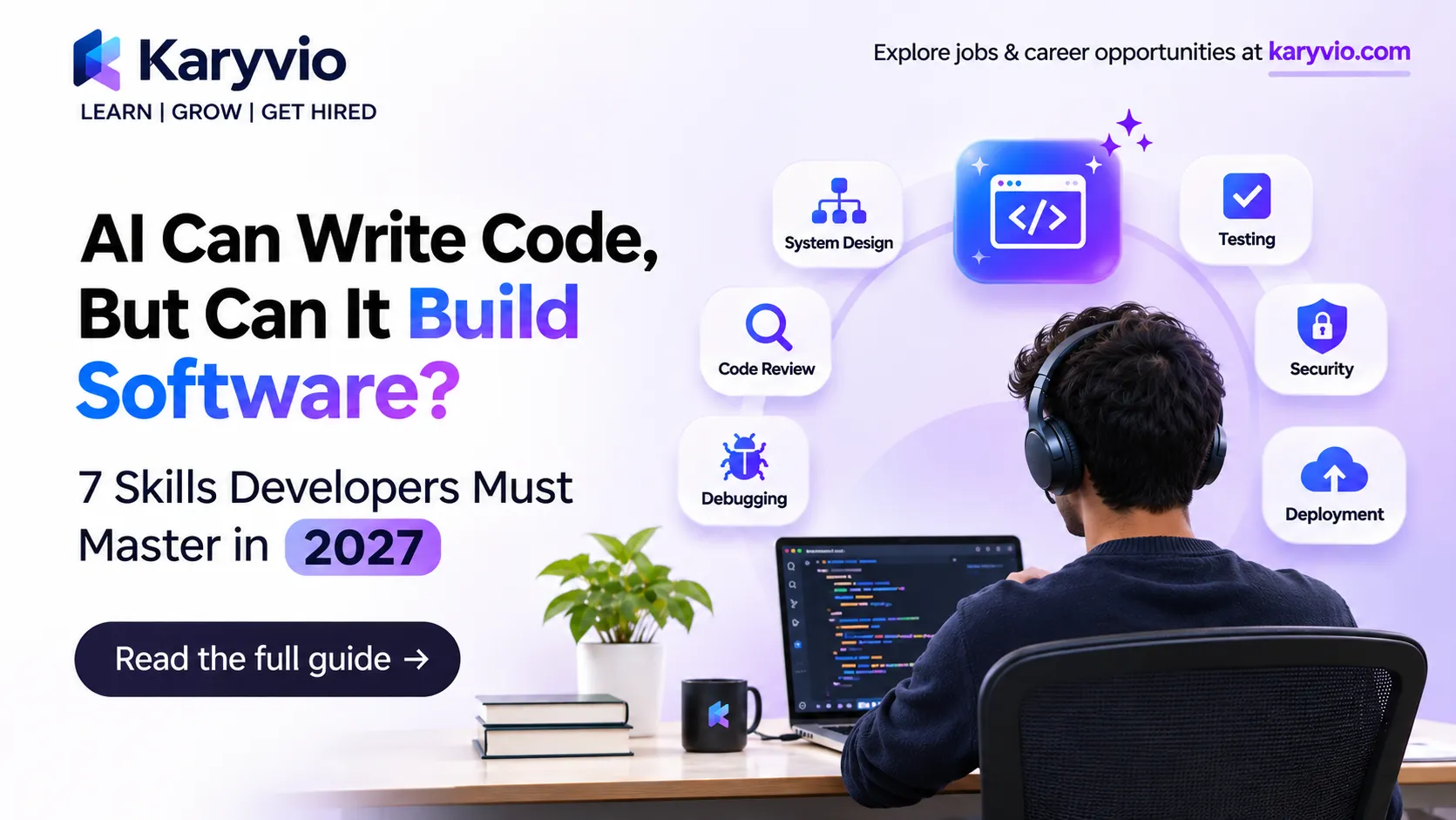
AI Can Write Code, But Can It Build Software? 7 Skills Developers Must Master in 2027
AI coding assistants have changed how developers write software. Today, AI tools can generate frontend components, build backend APIs, write database queries, create tests, explain errors, and even work across entire codebases.
But there is a fundamental difference between generating code and building reliable software.
An AI coding agent might generate a complete application that works during a demonstration. However, that application could still have security vulnerabilities, inefficient database queries, broken authentication, missing test coverage, or deployment problems.
As software development moves toward more autonomous AI agents, the developer's responsibility is becoming more important—not less.
Developers must understand requirements, design systems, review generated code, identify security risks, verify functionality, and take responsibility for what reaches production.
In this guide, we explore seven essential skills developers should master in 2027, with practical examples, tools, project ideas, and a 30-day improvement roadmap.
1. The Reality of AI-Assisted Software Development in 2027
AI is no longer limited to suggesting the next line of code. Modern coding agents can understand repositories, modify multiple files, execute commands, write tests, and assist with several stages of software development.
This creates an opportunity to build software faster, but it also creates a new engineering challenge: verifying that the generated software is actually correct.
Sonar's 2027 State of Code Developer Survey, released in November 2026, surveyed 1,026 developers and engineering managers globally.
Its findings highlight the growing importance of code verification:
| Finding | Survey Result |
|---|---|
| Code developers commit that is generated or significantly assisted by AI | 65% |
| Respondents generating AI code faster than they can verify it | 76% |
| Respondents spending more time reviewing than creating code | 53% |
| Respondents who say AI-generated code is always checked before committing | 39% |
| Respondents who say verification tools increase their trust in AI code | 77% |
These findings are from a global developer survey, not an India-specific hiring survey.
The important lesson is that faster code generation does not automatically mean better software.
Gartner also predicts that by 2027, more than 65% of engineering teams using agentic coding will treat traditional IDEs as optional, shifting more control and validation toward automated platforms.
This points toward a development environment in which developers increasingly coordinate AI agents, define constraints, and verify their output.
The developer's value is moving beyond typing code toward engineering judgment, system ownership, and reliable delivery.
2. Skill One: Problem Solving and Requirement Analysis
Before writing code, developers must understand what they are actually building.
AI can generate an application from a short prompt, but incomplete requirements often produce incomplete applications.
Consider this request:
"Build an e-commerce application."
An AI tool might generate a product listing, shopping cart, and checkout screen. But a real e-commerce application requires much more:
- User registration and authentication.
- Product and inventory management.
- Shopping cart persistence.
- Payment integration.
- Order processing.
- Refund handling.
- Role-based access control.
- Email notifications.
- Admin management.
- Error handling.
- Security and data protection.
The challenge is not simply generating the interface. It is understanding the complete business workflow.
What developers should learn
- Breaking large problems into smaller tasks.
- Understanding business requirements.
- Identifying edge cases.
- Defining functional and non-functional requirements.
- Writing acceptance criteria.
- Understanding user workflows.
- Evaluating technical trade-offs.
- Identifying dependencies and constraints.
Practical example
Instead of asking an AI tool:
"Create a login API."
First define:
- Who can register?
- How should passwords be stored?
- How does email verification work?
- How are user sessions managed?
- What happens after repeated failed login attempts?
- How are expired sessions handled?
- How is unauthorized access prevented?
- What happens if the database is unavailable?
Once the requirements are clear, AI can help implement the solution more effectively.
How AI can help
Use AI to:
- Convert business requirements into technical tasks.
- Identify missing requirements.
- Generate user stories.
- Suggest edge cases.
- Draft acceptance criteria.
- Compare implementation approaches.
However, developers must validate the proposed requirements with the actual product needs.
Key takeaway: Developers who understand the problem can guide AI toward the correct solution instead of accepting whatever code it generates.
3. Skill Two: System Design and Software Architecture
Generating individual functions is relatively easy. Designing a complete application that can grow, remain maintainable, and handle real users is much harder.
This is where system design becomes essential.
Suppose you are building a job portal.
A basic implementation might contain:
- Frontend application.
- Backend API.
- Database.
But a production-ready platform may also require:
- Authentication and authorization.
- Job search and filtering.
- Pagination.
- Caching.
- File storage.
- Email notifications.
- Background processing.
- Rate limiting.
- Logging and monitoring.
- Database optimization.
- Backup and recovery.
A developer must understand how these components communicate and how architectural decisions affect the entire application.
What developers should learn
Backend architecture
- Monolithic architecture.
- Modular architecture.
- Microservices fundamentals.
- REST API design.
- Event-driven architecture.
- Background jobs and queues.
Database design
- Relational database design.
- Normalization.
- Indexing.
- Transactions.
- Query optimization.
- Data consistency.
Infrastructure
- Reverse proxies.
- Load balancing.
- Caching.
- Message queues.
- Object storage.
- Horizontal scaling.
Practical example: Designing a job application workflow
A candidate applies for a job.
A reliable workflow could look like this:
- Frontend submits an application request.
- Backend authenticates the candidate.
- Backend verifies that the job is active.
- Database checks whether the candidate has already applied.
- Application record is created.
- Notification is scheduled.
- Application status becomes available to the candidate.
You must also consider duplicate requests, database failures, authorization, and notification retries.
AI can suggest an architecture, but developers must evaluate whether it fits the actual requirements.
How AI can help
- Generate architecture alternatives.
- Draft database schemas.
- Explain design patterns.
- Create API contracts.
- Generate initial sequence diagrams.
- Identify possible scalability issues.
Key takeaway: Learn to design the complete system, not just individual API endpoints.
4. Skill Three: AI Code Review and Output Verification
This is one of the most important skills in AI-assisted development.
AI-generated code can look correct while containing hidden problems.
Examples include:
- Incorrect database relationships.
- Missing authorization checks.
- Unhandled exceptions.
- Incorrect API response formats.
- Inefficient queries.
- Insecure password handling.
- Outdated library methods.
- Incorrect assumptions about the existing codebase.
- Unnecessary dependencies.
Developers must know how to inspect, test, and verify generated code before using it.
A practical code review checklist
| Check | What to Verify |
|---|---|
| Correctness | Does the code solve the actual requirement? |
| Readability | Can another developer understand it? |
| Security | Are inputs, permissions, and secrets handled safely? |
| Performance | Are there unnecessary operations or queries? |
| Error handling | Are failures handled properly? |
| Maintainability | Does it follow the existing project structure? |
| Compatibility | Does it work with current dependencies and runtime? |
| Testing | Are important scenarios covered? |
How to review AI-generated code
- Ask AI to explain the implementation.
- Compare the implementation with the requirements.
- Inspect every changed file.
- Check official documentation for unfamiliar APIs.
- Run the application locally.
- Execute automated tests.
- Review security-sensitive operations.
- Inspect the final Git diff.
- Commit only after the changes have been verified.
Go beyond asking AI whether its own code is correct
Instead of asking:
"Is this code correct?"
Use a more structured approach:
"Review this implementation against the requirements. Identify missing authorization checks, possible edge cases, inefficient database queries, incorrect error handling, and security issues. Do not modify the code until you explain the findings."
This makes the review more focused, although independent testing and human judgment are still necessary.
Key takeaway: Generating code is only the beginning. Understanding and validating generated code is the developer's responsibility.
5. Skill Four: Debugging and Root Cause Analysis
AI can suggest solutions to errors, but developers need to understand why those errors happen.
A developer who only copies suggested fixes may solve one problem while introducing another.
Consider a production application that suddenly becomes slow.
Possible causes include:
- Slow database queries.
- Missing database indexes.
- Excessive API requests.
- Memory leaks.
- External API latency.
- Redis connection problems.
- Large response payloads.
- Inefficient frontend rendering.
- Server resource limitations.
Changing random code will not reliably solve these problems.
What developers should learn
Backend debugging
- Reading application logs.
- Understanding stack traces.
- Identifying failed requests.
- Debugging asynchronous operations.
- Investigating database queries.
- Understanding API timeouts.
Frontend debugging
- Browser developer tools.
- Network inspection.
- React performance tools.
- Memory and rendering analysis.
- JavaScript debugging.
Infrastructure debugging
- Linux commands.
- Docker logs.
- Nginx logs.
- CPU and memory monitoring.
- Network troubleshooting.
Practical debugging workflow
Use this sequence when an application fails:
- Reproduce the issue.
- Identify the affected component.
- Collect logs and error details.
- Trace the request through the system.
- Identify the root cause.
- Implement a targeted fix.
- Add a regression test.
- Monitor the application after deployment.
Example: A slow production API
Imagine a GET /jobs endpoint takes five seconds to respond.
An inexperienced approach might be to ask AI to rewrite the entire endpoint.
A better engineering approach is to investigate:
- Is the database query slow?
- Is pagination implemented correctly?
- Are unnecessary records being returned?
- Are count queries expensive?
- Is caching missing?
- Are indexes appropriate?
- Is an external API delaying the response?
- Is the server running out of resources?
The solution should address the actual bottleneck.
Useful debugging tools
- Chrome DevTools.
- Postman.
- VS Code Debugger.
- Docker logs.
- Linux monitoring commands.
- Database query analyzers.
- Application performance monitoring tools.
Key takeaway: Strong developers do not just fix errors. They identify and eliminate the underlying causes.
6. Skill Five: Testing and Software Quality Engineering
AI can generate code quickly, but code that has not been tested should not automatically be considered production-ready.
Testing verifies that an application behaves correctly under normal, unexpected, and failure conditions.
Developers should understand different testing levels.
Unit testing
Tests individual functions or components.
Examples:
- Validate a password.
- Calculate a discount.
- Check a user permission.
- Format an API response.
Integration testing
Checks whether multiple components work together.
Examples:
- API communicates with PostgreSQL.
- Authentication works with session storage.
- Payment service updates an order correctly.
- Backend correctly communicates with an external API.
End-to-end testing
Tests complete user workflows.
Example:
- User registers.
- User logs in.
- User searches for a product.
- User adds the product to the cart.
- User completes checkout.
Performance testing
Checks how an application behaves under different workloads.
Learn:
- Response-time measurement.
- Load testing.
- Stress testing.
- Database performance.
- Resource utilization.
Tools worth learning
| Purpose | Tools |
|---|---|
| Unit Testing | Jest, Vitest, Pytest |
| API Testing | Postman |
| Browser Automation | Playwright |
| End-to-End Testing | Cypress |
| Performance Testing | k6 |
| Code Quality | SonarQube |
How AI can help with testing
You can use AI to:
- Generate test cases.
- Identify missing edge cases.
- Create mock data.
- Explain failing tests.
- Suggest regression scenarios.
- Review test coverage.
- Generate initial test scripts.
However, developers must verify that tests actually validate the intended behavior. A test that simply repeats the implementation's assumptions can pass while the feature remains incorrect.
Key takeaway: A feature is not complete just because it works once on your computer.
7. Skill Six: Security, Privacy, and Secure Coding
Security becomes even more important when developers use AI-generated code and autonomous coding agents.
A generated login system, payment integration, or file-upload feature may appear functional but still expose sensitive data or allow unauthorized access.
Developers must understand secure coding principles rather than relying entirely on AI-generated security implementations.
Essential security concepts
Authentication
- Password hashing.
- Session management.
- JWT fundamentals.
- Multi-factor authentication.
- Account recovery.
Authorization
- Role-based access control.
- Resource ownership.
- Permission validation.
- Protection against privilege escalation.
Application security
- SQL injection prevention.
- Cross-site scripting prevention.
- Cross-site request forgery protection.
- Rate limiting.
- Input validation.
- Secure file uploads.
Infrastructure security
- HTTPS.
- Secret management.
- Environment variables.
- Dependency vulnerability scanning.
- Secure server configuration.
AI application security
If you build applications powered by LLMs or AI agents, learn additional security concepts:
- Prompt injection.
- Sensitive information disclosure.
- Insecure output handling.
- Excessive agent permissions.
- Unsafe tool execution.
- Untrusted external content.
- Data leakage.
- Vector database and embedding weaknesses.
The OWASP GenAI Top 10 for LLM Applications 2026 is a useful reference for understanding these risks.
Example: An AI-powered customer support assistant
Imagine an AI assistant connected to a company's internal database.
A user asks:
"Show me all customer payment records."
If the application does not enforce permissions outside the model, the assistant could expose information that the user is not authorized to access.
The correct approach is to enforce authentication and authorization at the application and tool-execution layers.
Never rely on a prompt alone to protect private information.
Security rules for AI agents
- Give agents only the permissions they need.
- Restrict access to sensitive files and services.
- Validate tool inputs and outputs.
- Require approval for destructive operations.
- Keep credentials outside source code.
- Log important actions.
- Test prompt injection and unauthorized access scenarios.
Key takeaway: AI can help write security code, but developers must understand and verify the security boundaries themselves.
8. Skill Seven: Production Deployment, Monitoring, and Maintenance
A project that runs on localhost is not automatically a production-ready application.
Real software must operate reliably after deployment.
Developers should understand how applications are built, deployed, monitored, updated, and maintained.
Essential production skills
Linux and server administration
- Linux commands.
- Process management.
- File permissions.
- Networking fundamentals.
- Server resource monitoring.
Deployment
- Docker.
- Docker Compose.
- Nginx.
- Reverse proxy configuration.
- Environment configuration.
- CI/CD pipelines.
Cloud
- AWS fundamentals.
- Object storage.
- Virtual machines.
- Managed databases.
- Cloud networking.
Monitoring
- Application logs.
- Error tracking.
- Health checks.
- Metrics.
- Alerting.
- Incident investigation.
Reliability
- Backup and recovery.
- Database migrations.
- Rollback strategies.
- Rate limiting.
- Failure handling.
- Service availability.
Example: Deploying a full-stack application
Suppose you have developed a React frontend and a Node.js backend.
A production deployment may involve:
- Building the frontend.
- Preparing the backend environment.
- Configuring PostgreSQL.
- Creating Docker containers.
- Configuring Nginx.
- Enabling HTTPS.
- Connecting environment variables.
- Setting up CI/CD.
- Configuring logging and monitoring.
- Testing the deployed application.
You must also know what to do when deployment fails, the database becomes unavailable, or an application starts consuming too much memory.
Key takeaway: Building software means taking responsibility for its behavior after deployment, not just writing code.
9. How AI Coding Agents Are Changing the Developer Workflow
The next stage of AI-assisted development is not simply autocomplete. It is the use of agents that can perform multi-step development tasks.
A coding agent may be able to:
- Explore an existing repository.
- Understand project structure.
- Modify multiple files.
- Execute commands.
- Generate tests.
- Investigate errors.
- Prepare code changes.
- Assist with pull requests.
This can save time, but it also introduces new responsibilities.
What developers must learn about agentic development
1. Context management
Provide the agent with relevant project architecture, coding conventions, database schemas, API contracts, and constraints.
2. Task decomposition
Break large requirements into small, independently reviewable tasks.
3. Permission management
Do not provide unrestricted access to production systems, secrets, or destructive commands.
4. Verification workflows
Run tests, static analysis, dependency checks, and security scans before accepting changes.
5. Human approval
Require explicit review for sensitive changes such as authentication, payment processing, database migrations, and production deployment.
AI coding tools worth exploring
| Tool | Primary Use |
|---|---|
| GitHub Copilot | Code completion and AI assistance |
| Cursor | AI-assisted code editing |
| Claude Code | Agentic coding and repository workflows |
| OpenAI Codex | AI-assisted software engineering tasks |
| Google Antigravity | Agent-based development workflows |
| Gemini Code Assist | Coding assistance and code understanding |
Tool capabilities and pricing change frequently. Choose based on your workflow, security requirements, and project needs rather than popularity alone.
Key takeaway: The future developer is not simply someone who writes prompts. It is someone who can direct, constrain, review, and validate AI-powered development workflows.
10. A Real-World Project to Test All Seven Skills
Want to know whether you can build software rather than just generate code?
Build a production-style task management application.
This project can demonstrate all seven skills.
Project: AI-Assisted Team Task Management Platform
Core features
- User registration and authentication.
- Team and workspace management.
- Create, update, and delete tasks.
- Assign tasks to team members.
- Role-based permissions.
- Comments and activity history.
- Search, sorting, and filtering.
- Dashboard and analytics.
AI-powered features
- Generate task descriptions.
- Summarize project activity.
- Suggest task priorities.
- Convert natural-language requests into draft tasks.
- Search project documentation using natural language.
Production requirements
- PostgreSQL database.
- REST API.
- Input validation.
- Unit and integration tests.
- Docker deployment.
- Nginx reverse proxy.
- Logging and monitoring.
- Secure authentication.
- Error handling.
- Backup and recovery.
Suggested technology stack
| Layer | Technology |
|---|---|
| Frontend | React or Next.js |
| Backend | Node.js with Express or NestJS |
| Database | PostgreSQL |
| AI Integration | LLM API |
| Testing | Vitest or Jest and Playwright |
| Infrastructure | Docker, Nginx, AWS |
| Version Control | Git and GitHub |
What should you demonstrate on GitHub?
Include:
- Project architecture diagram.
- Database schema.
- API documentation.
- Setup instructions.
- Environment variable examples.
- Test instructions.
- Screenshots.
- Live deployment link.
- Explanation of AI integration.
- Security considerations.
- Known limitations and future improvements.
This project can help demonstrate that you understand the full software development lifecycle.
11. A Practical 30-Day Roadmap to Become an AI-Ready Developer
You do not need to master everything at once.
Use this practical schedule to strengthen your engineering foundation.
| Week | Focus | Practical Work |
|---|---|---|
| Week 1 | Problem solving and architecture | Design an application and database schema |
| Week 2 | AI code review and debugging | Review generated code and fix real bugs |
| Week 3 | Testing and security | Write automated tests and implement security checks |
| Week 4 | Deployment and monitoring | Dockerize and deploy the application |
Suggested daily routine
If you can dedicate approximately three hours per day:
- 45 minutes: Learn engineering concepts.
- 60 minutes: Build or improve your project.
- 30 minutes: Review and debug code.
- 30 minutes: Write and execute tests.
- 15 minutes: Document what you learned.
Your completion checklist
- Can explain the requirements of your application.
- Can design a basic system architecture.
- Can review AI-generated code.
- Can debug backend and frontend issues.
- Can write unit and integration tests.
- Understand authentication and authorization.
- Can identify common security risks.
- Can deploy an application using Docker.
- Can read production logs.
- Can explain your technical decisions.
The goal is to develop practical engineering ability, not simply finish another online course.
12. How Developers Can Stand Out in 2027
The ability to use an AI coding assistant is becoming common. The ability to use it effectively while maintaining software quality is more valuable.
To stand out:
- Build complete applications instead of only UI demonstrations.
- Understand backend architecture and database design.
- Learn to debug production-level problems.
- Write meaningful automated tests.
- Follow secure coding practices.
- Learn Docker, Linux, and deployment.
- Understand the code generated by AI.
- Learn how to manage AI coding agents safely.
- Contribute to real projects or open-source repositories.
- Document your technical decisions.
- Measure application performance and reliability.
- Explain the trade-offs behind your implementation.
During interviews, be ready to explain what you built, why you chose your architecture, what went wrong, and how you fixed it.
Do not simply say that you used AI to build an application. Explain your individual engineering contribution.
Frequently Asked Questions
1. Will AI replace software developers in 2027?
AI is changing software development by automating parts of coding, testing, and debugging. However, applications still require people to understand requirements, make architectural decisions, validate output, manage security, and maintain production systems.
2. Is learning programming still important when AI can generate code?
Yes. Programming knowledge helps developers understand generated code, identify mistakes, debug problems, and make informed technical decisions.
3. Which skills are most important for developers in 2027?
Problem-solving, system design, AI code verification, debugging, testing, security, and production deployment are important skills for building reliable software with AI assistance.
4. Should beginners use AI coding assistants?
Yes. Beginners can use AI tools to understand concepts, explore examples, and debug errors. However, they should learn programming fundamentals and understand how generated code works rather than depending on it blindly.
5. Is prompt engineering enough to become a good developer?
No. Writing good prompts can improve AI-assisted development, but it cannot replace programming fundamentals, software architecture, testing, security, and debugging.
6. Which AI coding tools should developers learn?
Developers can explore GitHub Copilot, Cursor, Claude Code, OpenAI Codex, Google Antigravity, and Gemini Code Assist. The best choice depends on the project, workflow, and budget.
7. Do developers need to learn DevOps?
Not every developer needs to become a DevOps engineer. However, understanding Linux, Docker, deployment, CI/CD, monitoring, and basic cloud infrastructure makes developers more capable of delivering complete applications.
8. How can freshers demonstrate real software engineering skills?
Build two or three complete projects with a backend, database, authentication, testing, documentation, and deployment. Be prepared to explain your architecture and technical decisions.
9. What is agentic software development?
Agentic software development uses AI agents to perform multi-step tasks such as exploring repositories, modifying code, running tests, and assisting with development workflows. Developers still need to define constraints, control permissions, and verify the results.
10. Will AI coding tools make traditional software engineering fundamentals unnecessary?
No. Programming, algorithms, databases, networking, architecture, testing, and security remain important because developers need these fundamentals to understand and evaluate what AI produces.
Final Thoughts: AI Generates Code. Developers Build Software.
AI has made code generation faster and more accessible. But generating code is not the same as building a reliable product.
As development workflows become more autonomous, developers must become better at defining requirements, designing systems, reviewing implementations, debugging problems, testing applications, protecting user data, and maintaining production environments.
The strongest developers will not be those who avoid AI or blindly depend on it. They will be those who understand engineering fundamentals and know how to use AI as a productive development partner.
Do not measure your development skills by how much code you can generate.
Measure them by the quality of the software you can build, explain, test, secure, deploy, and maintain.
AI can generate the code. Your engineering skills determine whether that code becomes reliable software.



Comments (0)
Be the first to share your thoughts.